Aivium Aivium

Aivium Gateway · for teams · beta

AI for your whole team. Keys stay with you

Set up AI once on your company server and roll it out to everyone. No visiting every desk, no keys pasted into chats: you pick the models, tools and permissions, and provider keys never leave the server.

Gateway comes with the Team plan: a company server, shared resources and permissions. The 14-day trial includes every plan feature, Gateway too. A base volume of AI requests comes with the plan; beyond it, you top up your balance.

AI for your whole team. Keys stay with you
02

Sound familiar?

Gateway is for you if:

  • AI keys get passed around in chats and DMs
  • you set up every new hire by hand
  • nobody knows who spends what on AI
  • someone left, and their access is still on their laptop
  • people work from the office, from home and on the phone
  • staff install AI tools with no shared rules
03

Set up once. Works for everyone

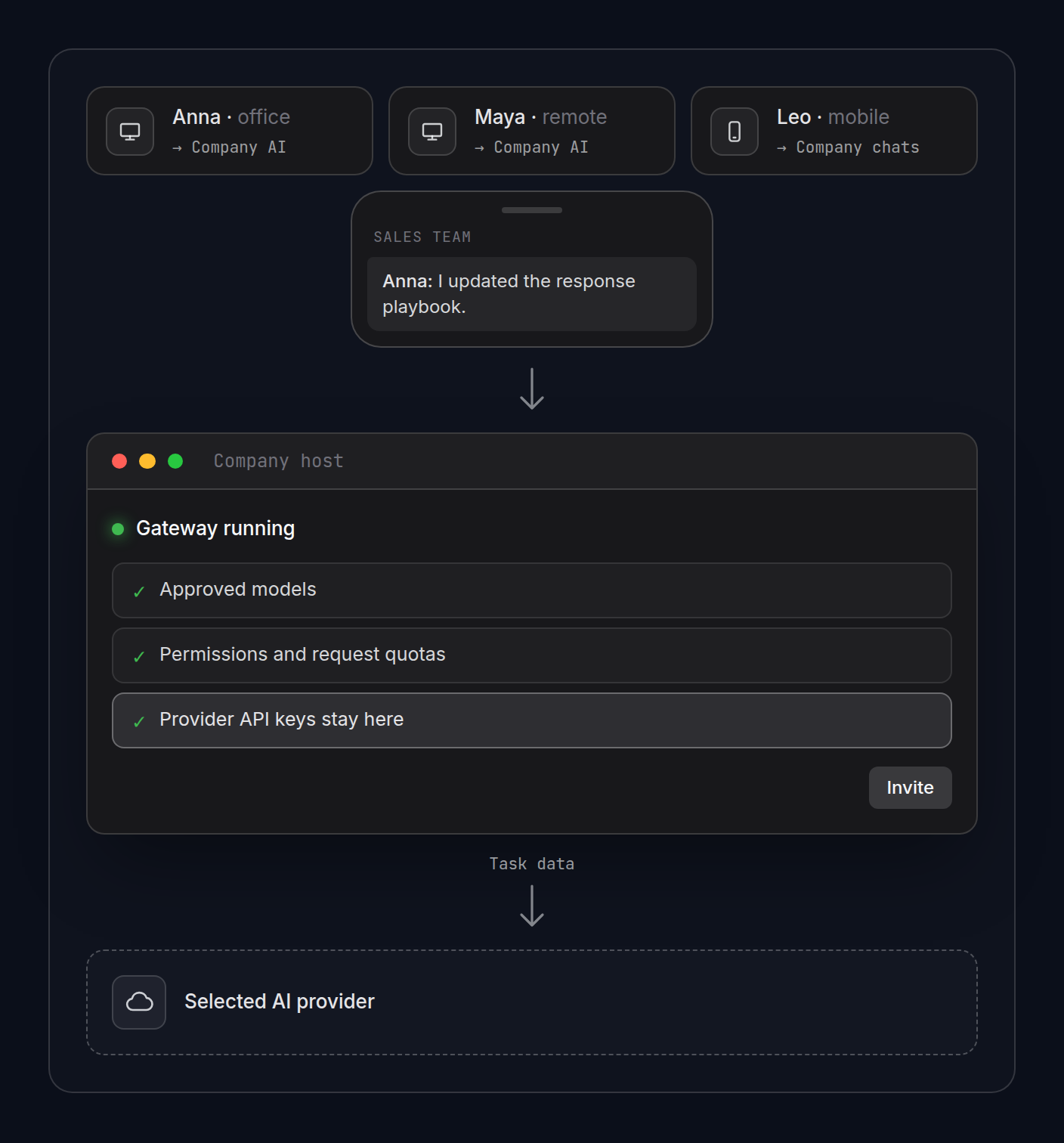
  1. Connect a provider. The key lives on your company server. You decide which models people see.
  2. Set the rules. Tools, permissions and request quotas — for everyone or person by person.
  3. Invite people. By link, QR code or an Aivium account request.
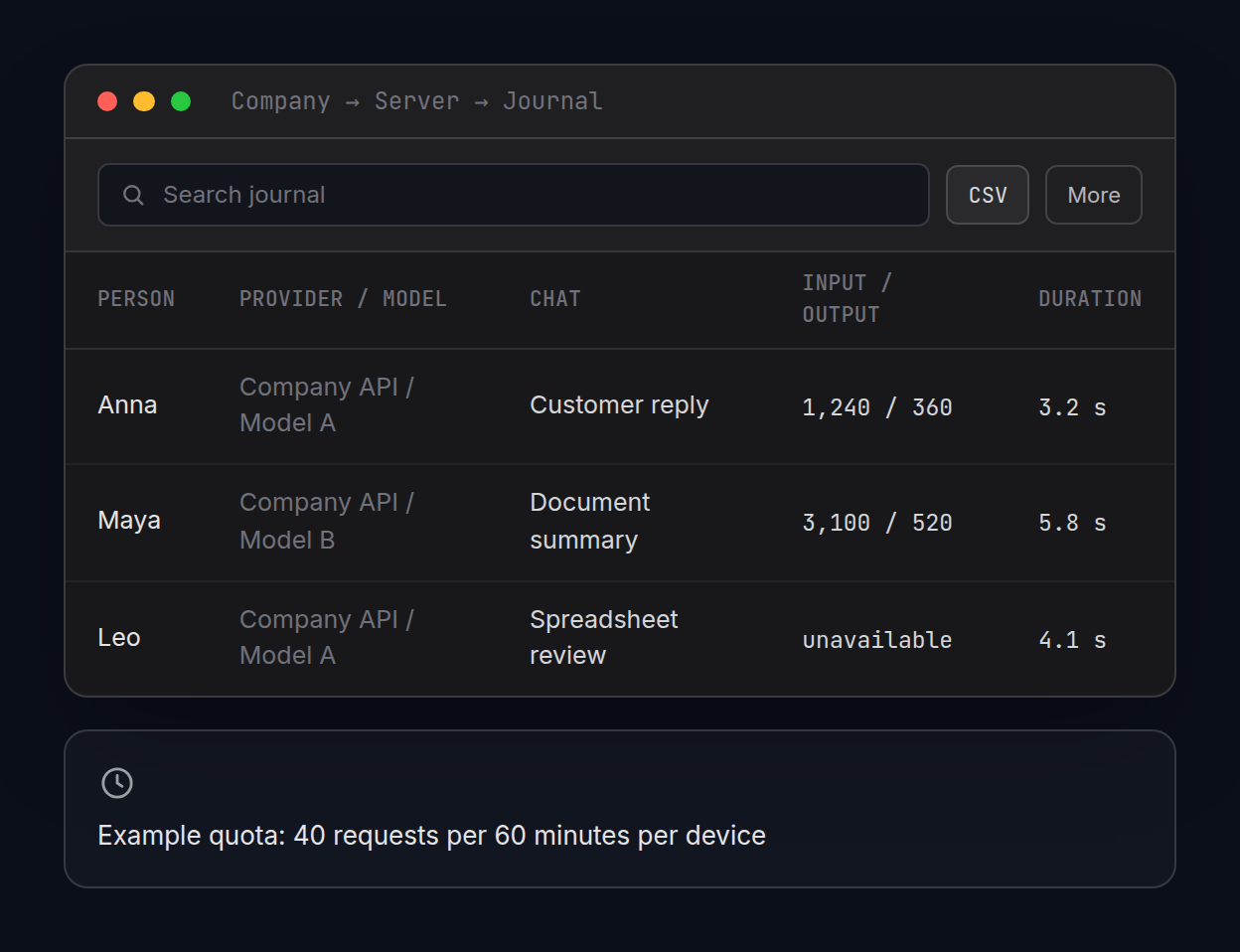
  4. Check the journal. Who used AI, with which model and for what.

Change a rule on the server and connected computers pick it up on their own. A setup wizard walks you through each step and checks access.
04

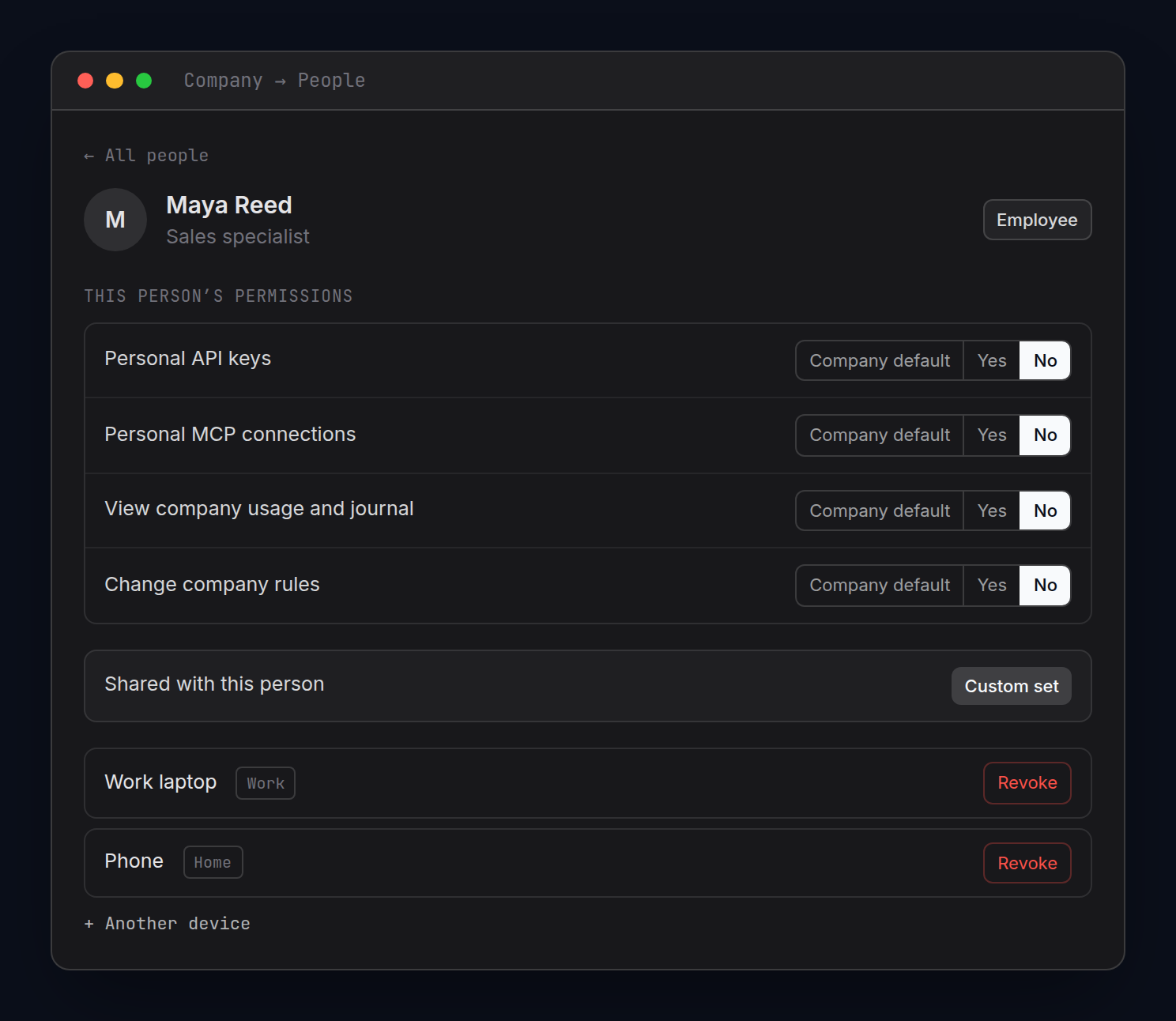
Permissions, person by person

An employee card: what they can use and from which devices. Illustrative interface, sample data.
05

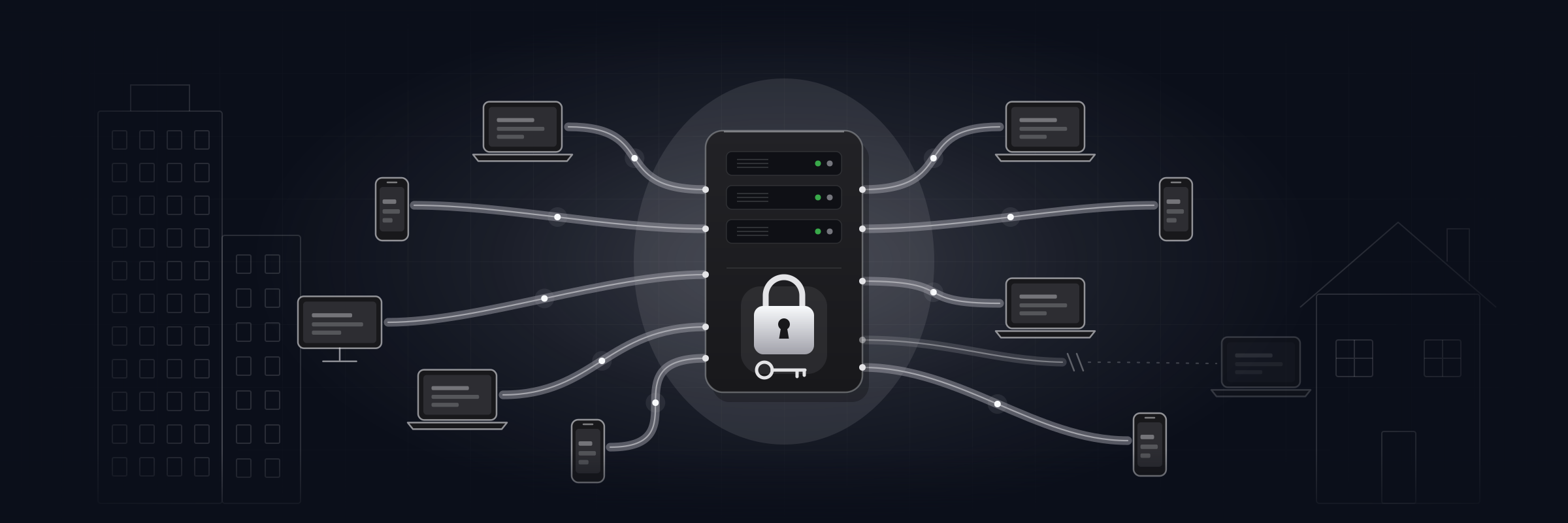
Office, home, phone — one connection

Office in the morning, home in the evening, phone on the go. One connection covers it all:

  • In the office — through the server's local address.
  • From home — through its external address. The server can open the router port itself.
  • No direct route? Use the paid Aivium Relay module.
  • On the phone — Aivium Work chats and assignments, with no desktop left running.

Laptops switch between office and home on their own. Home devices can get their own, tighter permissions.

06

Example: a sales team

“Give the sales reps AI: company models, an assistant that knows our playbook, no personal keys.”

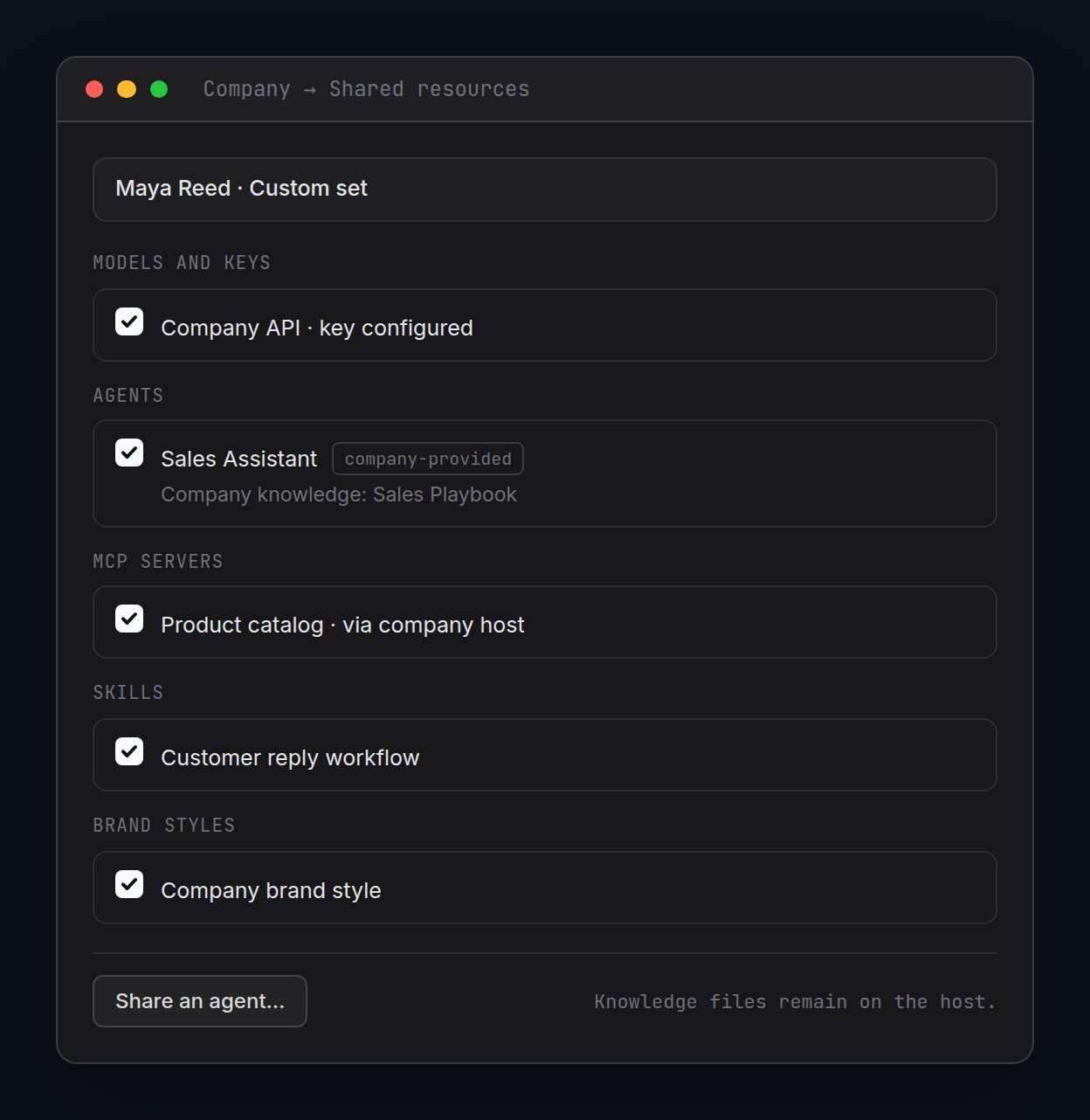
The admin puts together a custom set for them:

  • company models — the key stays on the server;
  • a “Sales Assistant” agent with the “Sales Playbook” knowledge base;
  • personal keys and personal integrations — off;
  • a quota — say, 40 requests per hour per device.

Reps sign in and get straight to work with a ready toolkit. They never see the key.

07

What the company gets

Keys never reach people

Provider keys work on the server. Nothing to paste around, nothing to walk away with.

Permissions per person

Owner, Admin and Employee roles with clear checkboxes. Exceptions are listed by name.

Quotas and a journal

Request quotas per device and per company. A usage journal with estimated cost and CSV export.

Revoke access

Someone leaves — you switch off their devices. Company keys stay with you.

A toolkit from day one

Models, agents, knowledge bases, skills and MCP — for everyone or as a custom set.

A server, not an open window

Run Gateway as a Windows service or headless on Linux.

What the company gets
08

What you can share with the team

Set it up once, then share it with the right people:

  • company models, with no keys handed out
  • ready-made agents for each team's work
  • knowledge bases: playbooks, guides, price lists
  • skills for recurring tasks
  • MCP connections to your services
  • SSH connections to your servers
  • brand styles for documents and layouts
  • a shared address book, with control over who edits
  • Aivium Work team chats and assignments on your own server
  • staff Codex and Claude Code sessions, using the tools your server shares
What you can share with the team
09

The honest fine print

  • Gateway is in beta. You need a machine that stays on and reachable for the team.
  • There are no money budgets per department or per person yet. You get request quotas and a journal with estimated cost.
  • When you use an external model, the selected AI provider receives the task data.
  • Moving an employee's MCP connections, with their keys, to the company server — coming soon.
  • No SSO or Active Directory sign-in yet.
AI for your whole team. Keys stay with you

Give your team AI. Keep the keys

Start with one team and one workflow. Gateway comes with the Team plan: a company server, shared resources and permissions. The 14-day trial includes every plan feature, Gateway too. A base volume of AI requests comes with the plan; beyond it, you top up your balance.