
Codex · Claude Code · on your subscription
Your Codex and Claude Code, in one window
Already paying for ChatGPT or Claude? Put that subscription to work in Aivium. Codex and Claude Code work right next to your files and tools, and every edit is visible down to the letter.
You sign in with your OpenAI or Anthropic account. Aivium never stores that password.
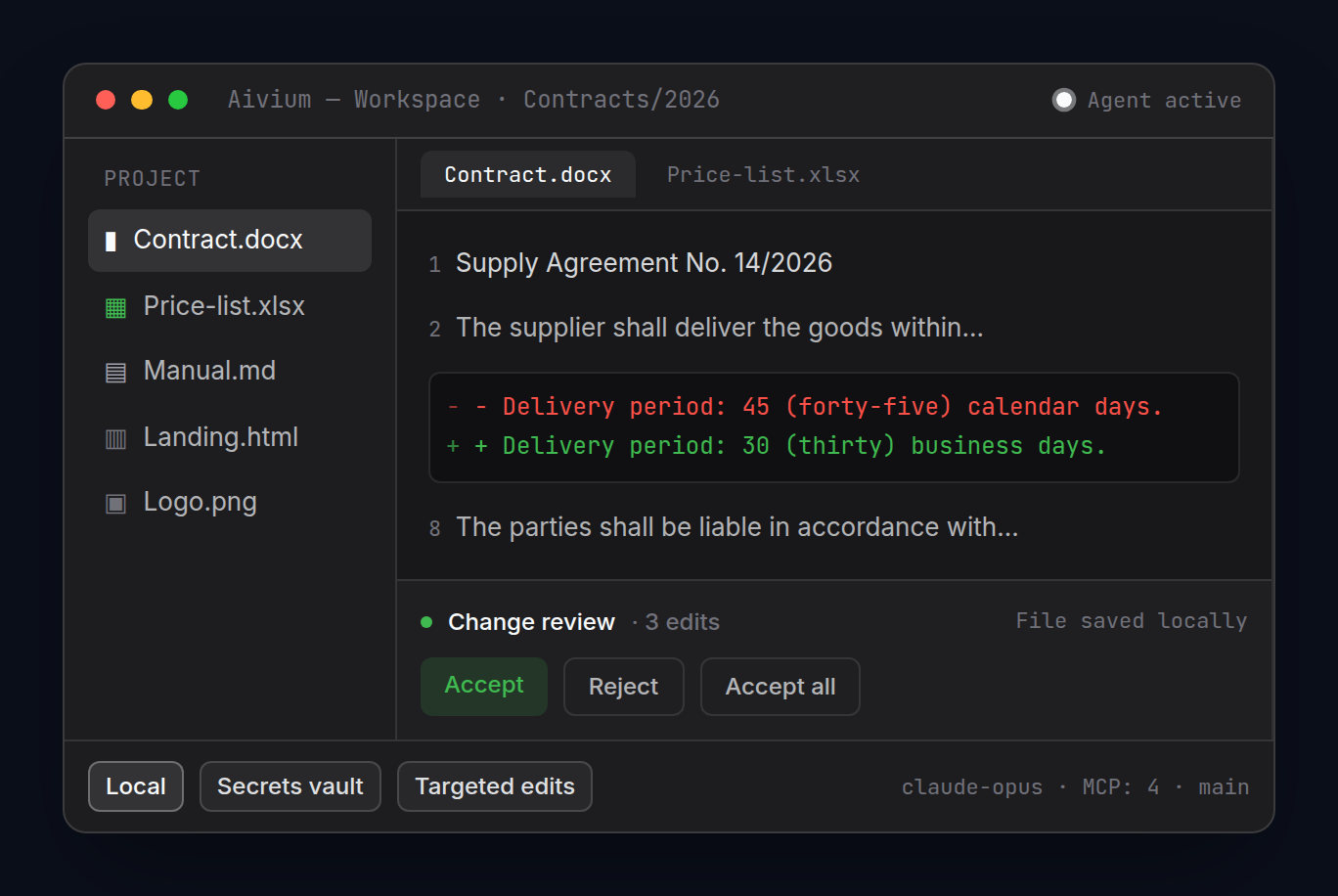
Same agent. A real workspace
Codex or Claude Code, unchanged. Around them, everything the job needs:
- the agent sees your project files, not just pasted text
- makes targeted edits to DOCX, XLSX and PPTX
- accept, reject or roll back every edit
- parallel helpers split a big task
- long jobs run in the background; the agent comes back
- it asks a question and keeps working
- files, MCP and Git go through Aivium tools and permissions
- several chats on one file never overwrite each other
- chat memory keeps decisions from turn to turn
Codex in an Aivium chat
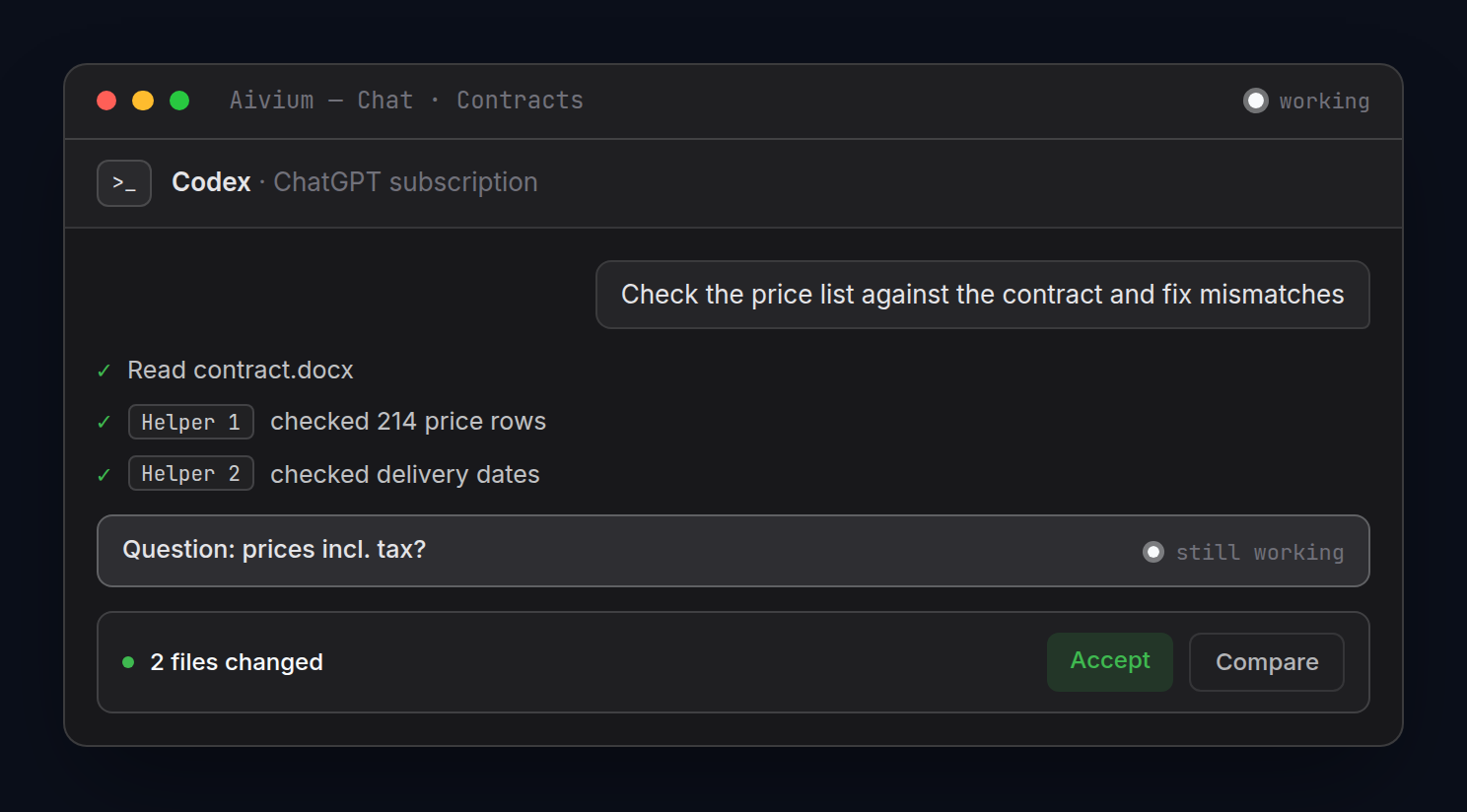
What to hand off
«Check the price list against the contract, fix mismatches and show me what changed.»
«Split the review of 12 files between helpers and give me one report.»
«Start the export and, when it's done, put the data into Excel.»
«Update the README and changelog from the latest commits.»
Why it works better
You already pay for it
Codex and Claude Code run on your ChatGPT or Claude subscription. Sign in with their account.
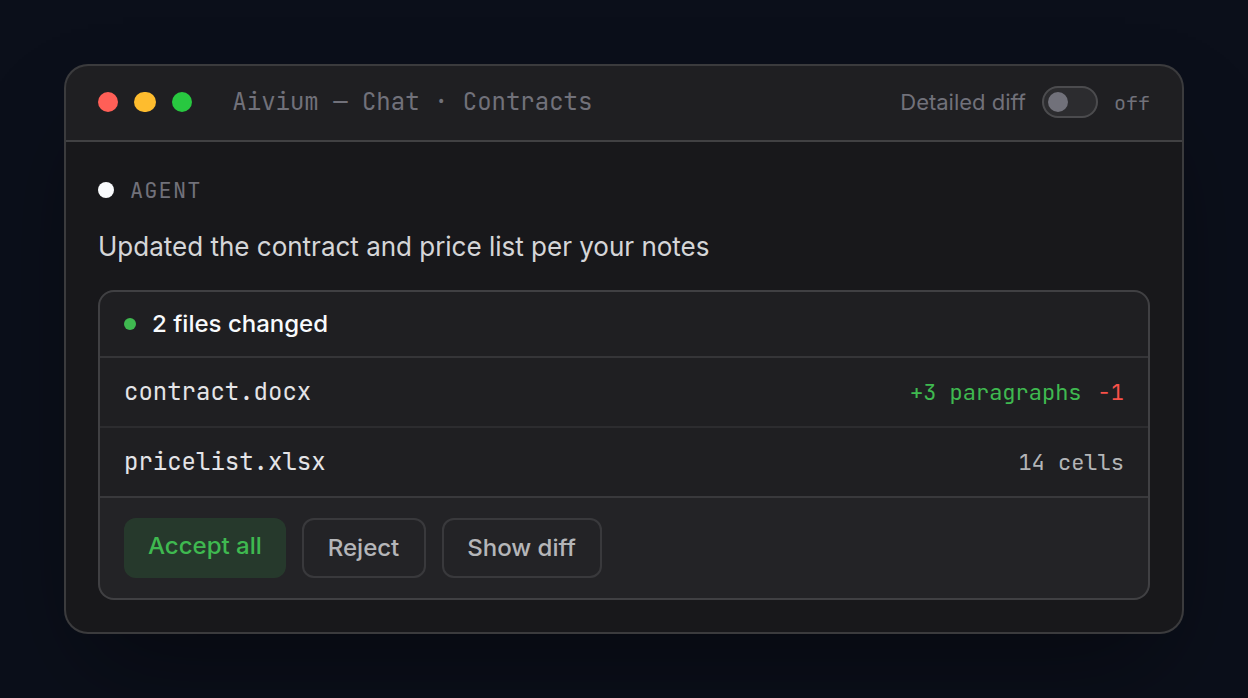
Every edit in view
Accept all, accept some or send it back. Too noisy? Keep a short “what changed” summary instead.
Parallel helpers
The agent splits a big job between helpers that work at the same time.
No waiting around
Long jobs run in the background and the agent comes back with the result. A question doesn't stop the work.
Tools with rules
Files, MCP and Git go through Aivium tools. At work, through what your company server shares (Gateway, beta).
Or skip the subscription
Use your own API keys, an Aivium plan or local models in Ollama and LM Studio.
Who it's for
- you already pay for ChatGPT or Claude
- your projects mix code, documents and spreadsheets
- you're tired of copying terminal output into Word
- you want big tasks done in parallel pieces
- you lead a team and want shared rules for agents
- you use Gemini CLI or Antigravity — they connect too
Why not just the terminal
In a terminal the agent prints text. In Aivium it gets a whole workspace:
- documents, sheets and slides open right beside the chat
- edits show up as in an editor, not a wall of text
- accept or roll back an edit with one button
- several chats and helpers in one window
- background work without a terminal left open
- a coordinator hands work to agents on Codex, Claude Code and other models and checks it

Your subscription. A real workspace
Install Aivium, sign in to Codex or Claude Code with your own account and give the agent its first task. Your ChatGPT or Claude plan is billed by them; Aivium is billed separately. The first 14 days are free.