Aivium Aivium

Hands-on agent

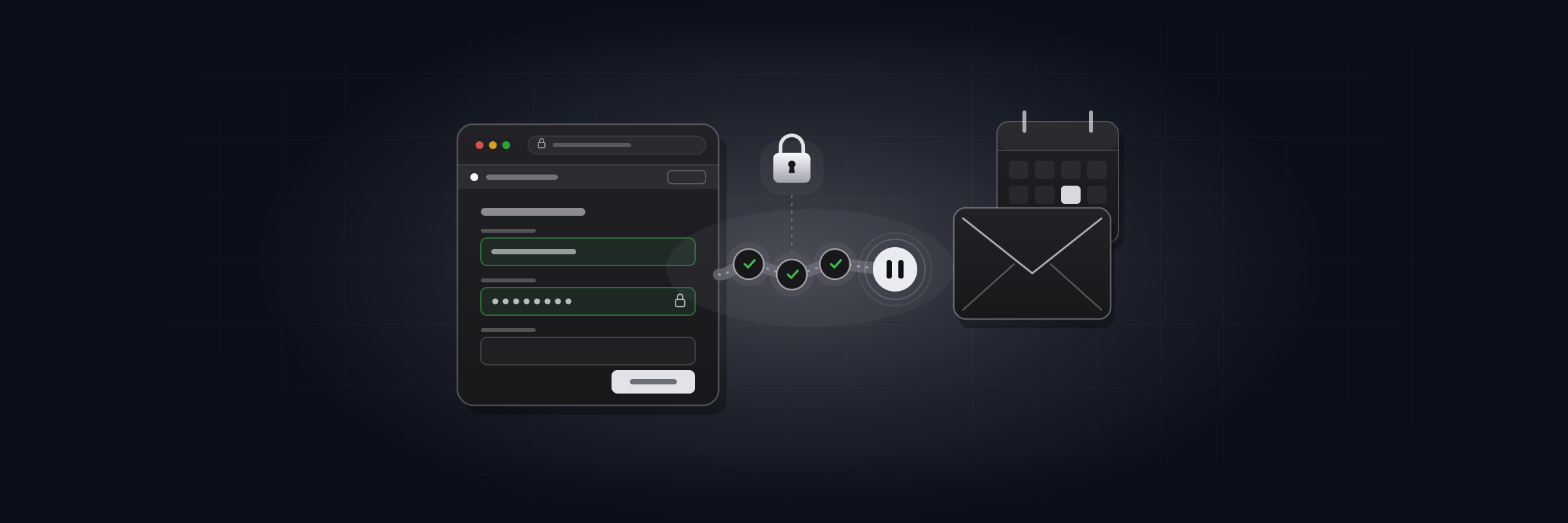
Hand off portals, forms and email

The agent works in your everyday browser, where you're already signed in. It clicks, fills in forms, downloads invoices, sorts your inbox and drafts replies. You approve sent emails and key steps.

The vault fills in passwords, so the agent never sees them. The extension doesn't read cookies or saved browser passwords.

Hand off portals, forms and email
02

What to hand off

The clicks you repeat every day:

  • sign in to a supplier portal and download the monthly invoice
  • fill in a web form from a spreadsheet
  • export a report from a dashboard and attach it to an email
  • sort the inbox and draft replies
  • find what was agreed in an old thread
  • book or move a meeting in your calendar
  • check how a website looks on a phone
  • look up a contact and when you last spoke
03

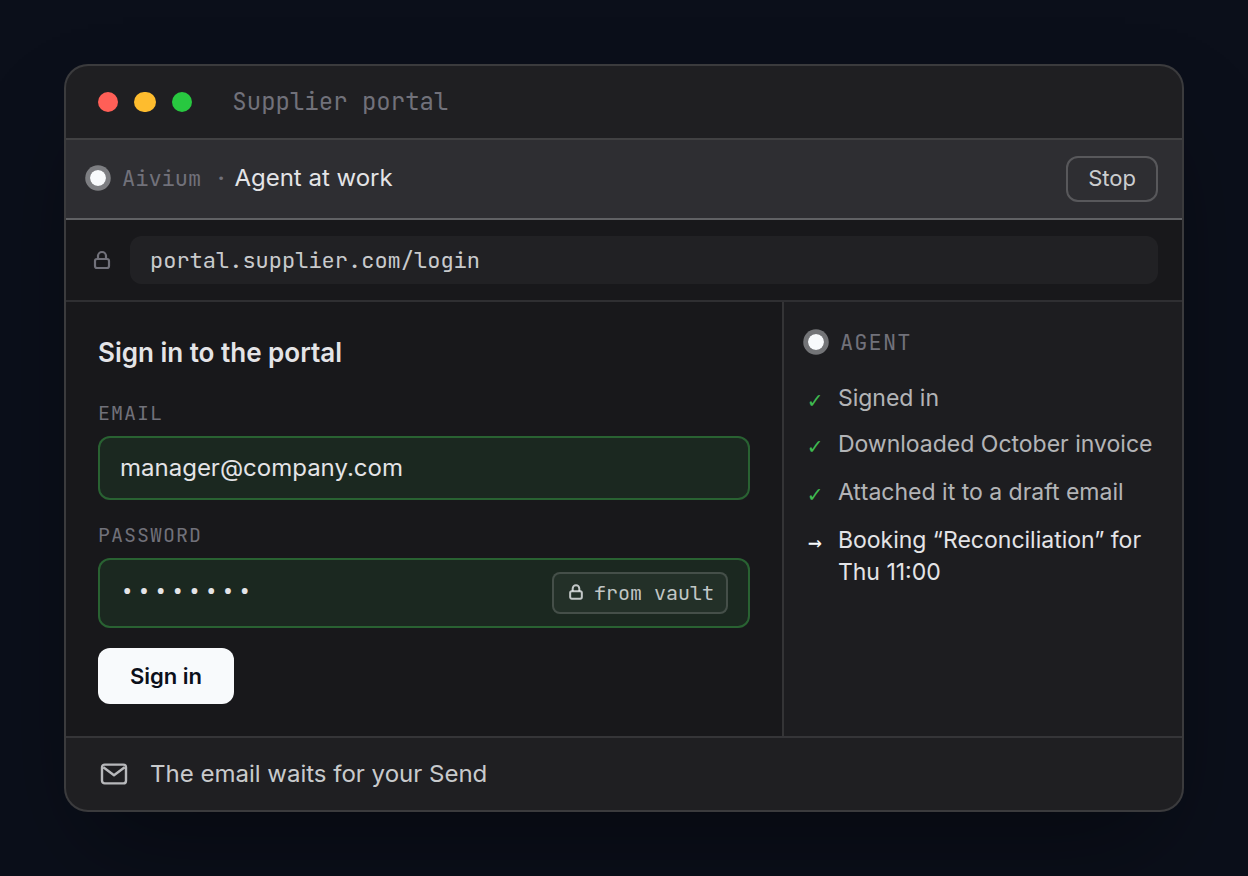
The agent in a supplier portal

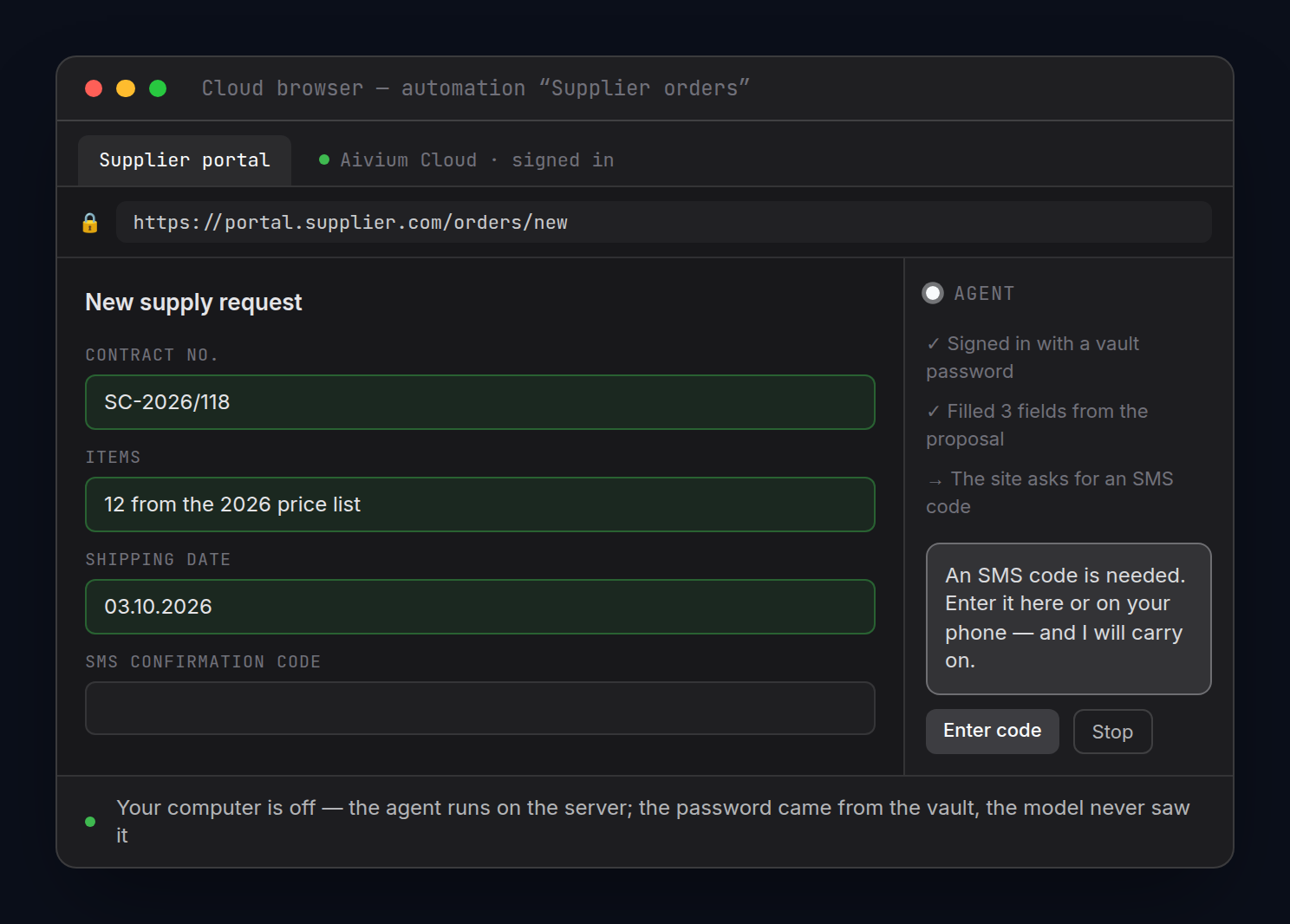
Cloud browser — beta. Illustrative interface, sample data.
04

Your browser, where you're already signed in

An extension for Chrome, Edge, Opera and Brave connects your browser to Aivium. The agent:

  • sees and reads your open tabs;
  • clicks and fills in forms;
  • downloads and uploads files;
  • signs in with a password from the vault, without seeing it;
  • captures a page at desktop or phone width.

While the agent works, an “Agent at work” bar with a Stop button stays in view.

There's also a built-in browser next to your project, and a cloud browser that keeps going with your computer off. Both are in beta.
05

Email: drafts, not surprises

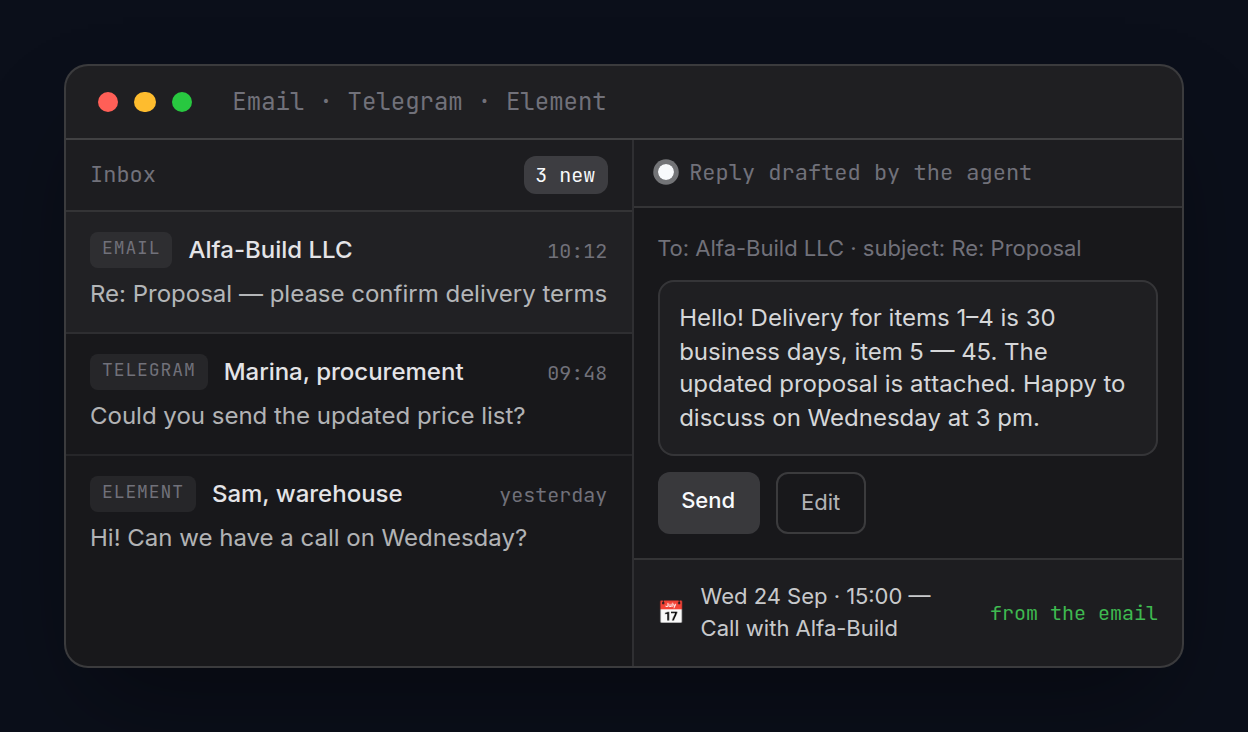
Connect any mailbox over IMAP/SMTP, or Gmail with the “Sign in with Google” button. The email assistant searches, sorts and drafts replies.

  • Drafts only by default. The agent sends only the way you allow it to.
  • You can undo a send for 30 seconds.
  • Emails open cleaned up, with trackers stripped.
  • Mail passwords are kept in your computer's system keychain.
Email: drafts, not surprises
06

Calendar and contacts

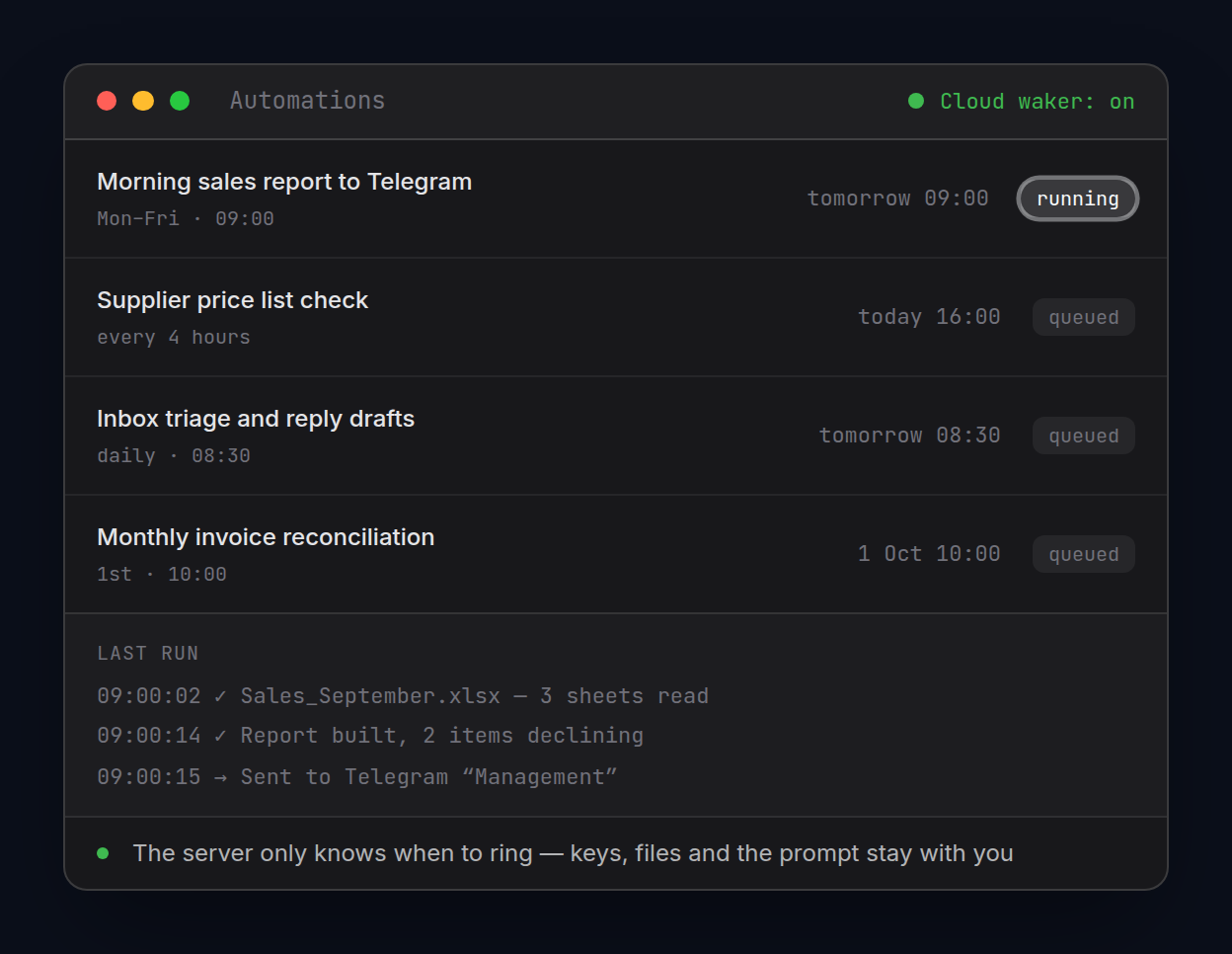
  • Calendar. Day, month and year views, CalDAV sync. The agent books and moves meetings within your permissions. Tasks and scheduled automations show up in the same grid.
  • Contacts. Cards, groups and a history of every touchpoint. The agent remembers who's who. Duplicates get merged, and the address book syncs with your phone.

Email, calendar and contacts are paid modules. Take only what you need — a paid module switches on by itself.

Calendar and contacts
07

Passwords come from the vault

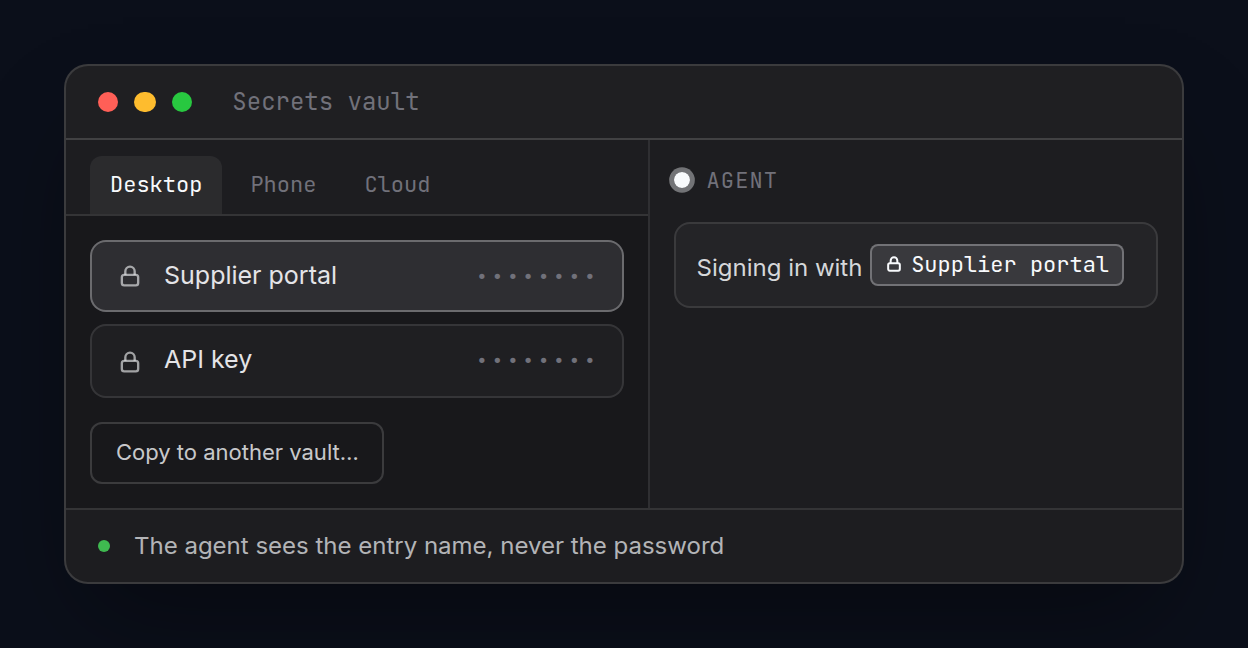
Logins and passwords live in the vault — on your desktop, your phone and in the cloud. The agent sees only the entry name, like “Supplier portal”; the vault fills in the password itself. You can copy an entry to another vault.

Passwords come from the vault
08

You stay in control

  • emails go out only on your Send, or by your rules
  • a Stop button halts the agent in your browser
  • the extension doesn't read cookies or saved passwords
  • every step the agent takes shows in the chat
  • key steps wait for your approval
09

Just say it

  • “Open the supplier portal, download the October invoice and attach it to an email to accounting. Don't send it.”
  • “Go through this week's inbox: what's urgent, what needs a reply, what can be archived.”
  • “Find the date we agreed with Eastline and book a reconciliation call for Thursday.”
  • “Check how our website looks on a phone and show me what's broken.”
Hand off portals, forms and email

The chores go to the agent. The calls stay with you

Install the extension, connect your email and hand the agent its first chore. The first 14 days are free.