Aivium Aivium

Cloud agent · Android · beta

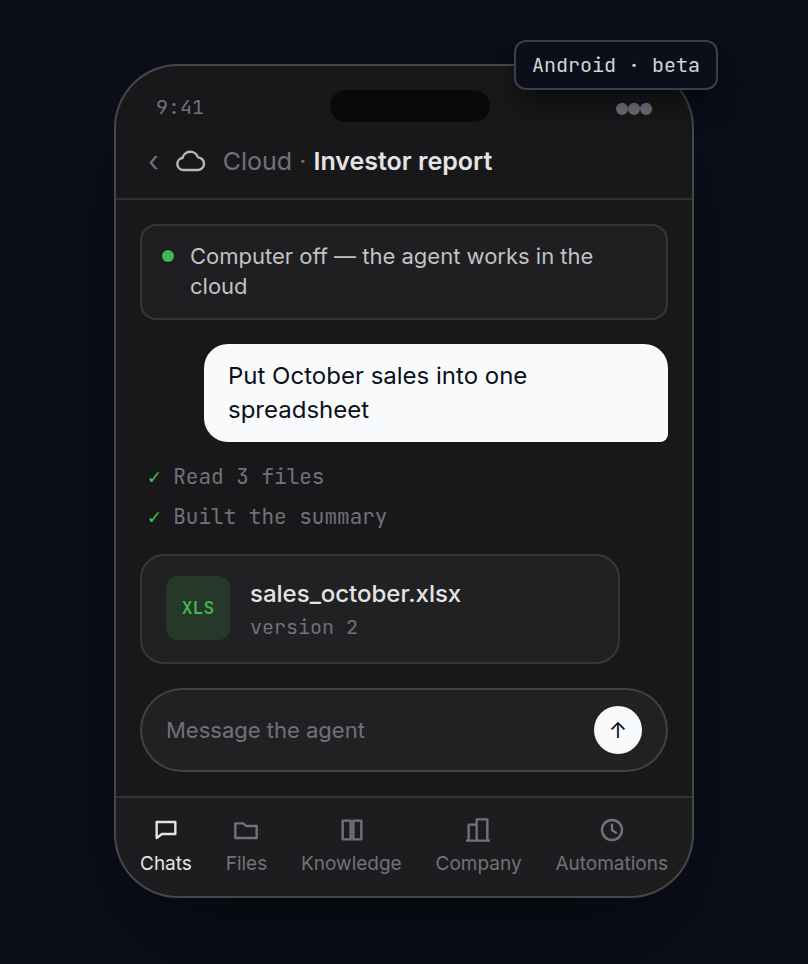
Computer off. Agent still at work

Give a task from your phone and the cloud agent does it on Aivium's servers, replying in the same chat. Need your desktop? Hand the task to its agents and approve the result from your phone.

The Android app and the cloud agent are in beta. An iPhone version is planned. The 14-day trial includes every plan feature, the cloud agent too. A base volume of AI requests comes with the plan; beyond it, you top up your balance.

Computer off. Agent still at work
02

How it works

  1. Open a cloud project on your phone, your desktop or in your web account — it's the same project everywhere.
  2. Type or dictate the task. Attach files if you need to.
  3. The agent works on Aivium's servers. You can turn your computer off.
  4. The result lands in the chat. Files are saved with versions, so you can compare or roll back any edit.

You can add details mid-task or hit Stop.
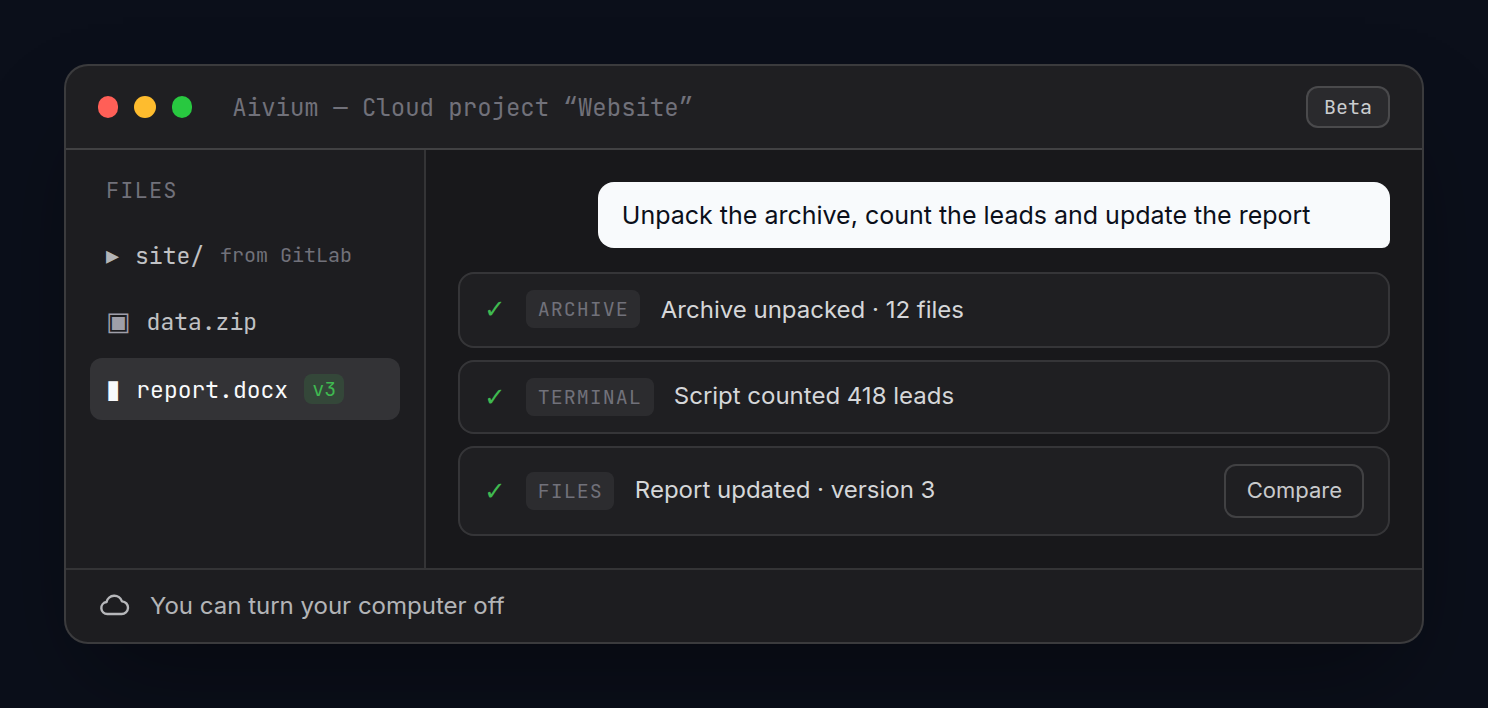
03

A cloud chat on your phone

Archive, script, new report version — no desktop needed
04

What the cloud agent can do

All in beta, and the same on your phone, desktop and the web.

Versioned files

Upload, compare, roll back. The agent builds Excel, Word and PowerPoint files right in the cloud.

A browser

Visits public websites and gathers data. Stuck? It asks you to step in.

Archives and a terminal

Unpacks archives, runs scripts and data processing.

A Git repository

Import from GitHub or GitLab, private ones included, with every folder.

Your services via MCP

Connect remote MCP servers and choose whether to confirm each call.

On a schedule

Cloud automations run with no computer switched on.

Your documents as a source

Each cloud project has its own knowledge base the agent answers from.

05

Need your desktop? That works too

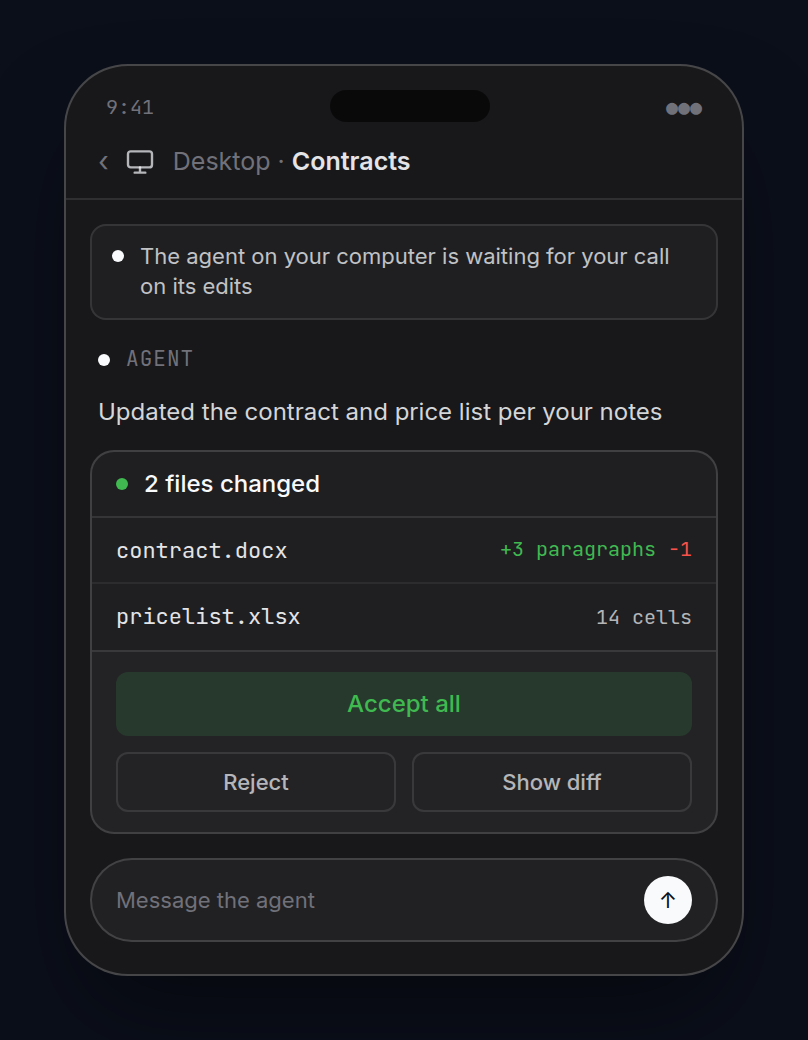
Some work lives on your desktop: local files, your knowledge base, your apps. The phone links to your computer with end-to-end encryption. From your phone you can:

  • give tasks to your desktop agents and answer their questions;
  • approve or reject their edits;
  • open the computer's files and knowledge base;
  • run an automation.

The computer needs to be on for this. Aivium's server only relays encrypted data and can't read it.

Need your desktop? That works too
06

The honest fine print

  • The cloud agent and the Android app are in beta. iPhone is planned.
  • The cloud agent can't reach your computer's files or apps. You create cloud projects yourself, and each is encrypted with its own project key.
  • The cloud terminal has no internet access, so it can't install packages from the web.
  • Git import is a snapshot. There's no sync and no push back to the repository.
  • The cloud agent and desktop control from your phone are separate modules.
  • Got a message? Forward it to a desktop or cloud agent and get an answer. The agent posts to a chat only on your command and within your permissions.
07

What else is on the phone

  • Aivium Work: personal and team chats, no desktop needed
  • forward a message to an agent in one tap
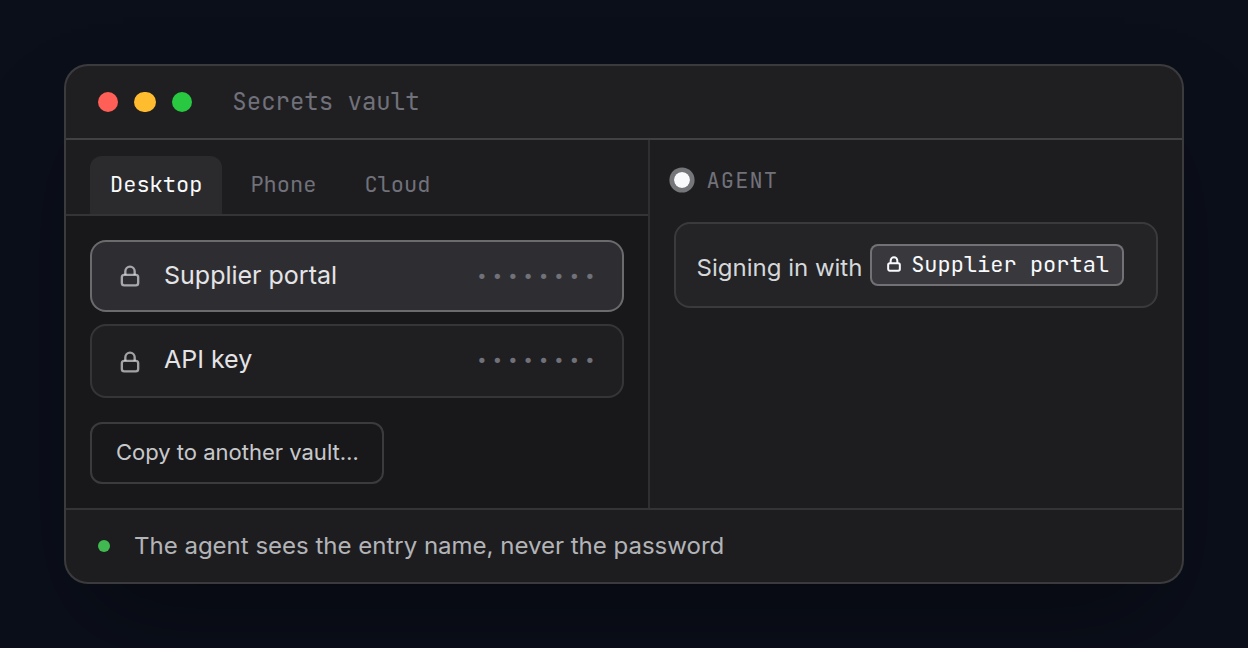
  • a vault for passwords and keys, hidden from the agent
  • knowledge base: save a file or a message to it
  • org chart and assignments, with a company server
  • contacts that sync with your desktop
  • dictation and voice chat with the agent — beta
What else is on the phone
Computer off. Agent still at work

Work doesn't wait until you're back at your desk

Give the cloud agent its first task from your phone and check the result in the chat. Get the Android app from our website. The 14-day trial includes every plan feature, the cloud agent too. A base volume of AI requests comes with the plan; beyond it, you top up your balance.